Custom Field Service App for Odoo: Simple for Technicians, Granular for Dispatch
Field Service PWA · Odoo · Offline & AI
For a craft business in fire and damage restoration with around 30 employees and more than 20 service technicians, we built a dedicated field service app during the Odoo rollout. Reason: the standard app was not fit for day to day work on site.
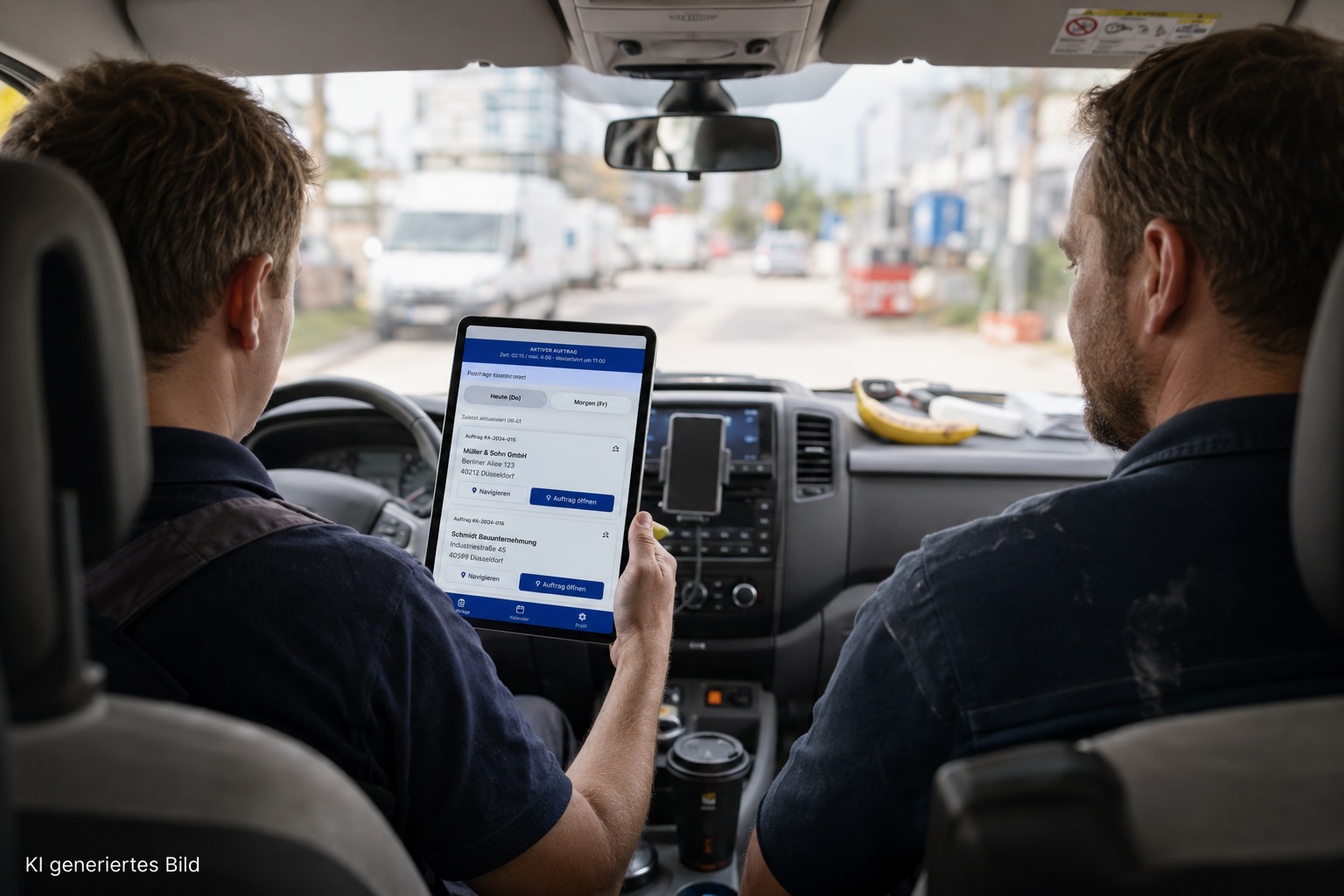
AI-generated image
The Challenge
During the Odoo rollout with dispatch and quote import, the ERP became the central platform for projects, time, and costs. For the service technicians, that meant a major shift: until then their jobs had been steered via Google Calendar, and they were now expected to capture their work mobile directly in Odoo. This is exactly where it became clear that a working dispatch setup in the office is not yet a usable solution on site.
The standard Odoo field service app proved unsuitable in the technicians' day to day work. On a smartphone or tablet it feels like a compressed desktop interface: small text, many buttons, and a large amount of information that may matter for project administration, but on a construction site with gloves, dirt, or poor readability it tends to get in the way rather than help. Service technicians primarily need clarity about the next job. They want to quickly see which customer they are driving to, which work is planned on site, and whom they can call if needed, without fighting through internal task structures and system details.
In addition, capabilities that should be obvious in field service were missing or incomplete. Offline scenarios in basements, new builds, or low connectivity environments were only covered to a limited extent, even though that is exactly where times have to be recorded and problems documented. Tracking time against individual tasks felt unnatural on site, because work often runs in parallel or in changing order. And whenever something went wrong or material was missing, feedback still arrived by phone or WhatsApp instead of landing in the ERP in a structured way.
At the same time, a second requirement remained in the background that is not identical to the technician view: dispatch and project management still need granular tasks from the quote in order to plan and reschedule projects flexibly. We describe this tension between fine structure in the office and a simple job view on site in more detail in our blog post on the 10 biggest challenges in Odoo field service.
Our Solution
We built a custom PWA specifically for service technicians. It can be installed like a normal app on smartphones and tablets and is therefore just as quick to open as familiar applications, without technicians having to navigate the Odoo interface. At the center is a clear, job based view: jobs for today and tomorrow grouped by location, complemented by a week calendar and navigation to the job via Google Maps.
When a technician opens a job, they see the information they actually need on site: address, housing units, a call button for the contact person before arrival, and a call button with the project manager's phone number. Subtasks are visible per housing unit and can be translated into different languages when needed, so non native speaking employees can understand the planned work without detours.
The workflow follows the job rather than the internal task list. Starting a job begins time tracking and continues online as well as offline. When finishing, the technician indicates what they worked on and what remains open. In addition, they are asked how much time is still needed for the unfinished tasks. That way, dispatch later knows directly how much still needs to be scheduled. The recorded time is then distributed evenly across the completed tasks. Via a central button, problems can be reported with category, photo, and voice note. Voice notes are automatically translated into German and posted as a message on the Odoo project or project task. If connectivity is missing, the app stores the data locally and uploads it as soon as the network is available again.
For dispatch and project management, the data model in Odoo deliberately changes little. Tasks remain granular there and continue to originate from the quote, including via the OCR import from the external quoting system. The PWA is the site ready layer on top: technicians work in a job based way, while Odoo remains the system of record for planning, time, and project documentation.
How We Worked
Within one month we went from an AI generated prototype through customer workshops to a production ready build. Delivery was handled by our senior engineering team bitshore.dev in Hungary: high quality and cost efficient, in close alignment with dispatch, project management, and technicians on site.
Technical Approach
- PWA with Next.js and TypeScript for large buttons, clear jobs, and site ready usability
- Python backend as authentication and caching layer between the app and Odoo
- Business logic and controllers in Odoo so the ERP stays the system of record
- Job overview for today/tomorrow by location, week calendar, and Google Maps navigation
- Start/stop on the job, time distributed evenly across completed tasks, remaining effort for open work
- Problem reporting with photo, voice note, and AI translation to German
- The app can be used fully offline, including starting and stopping jobs, reporting problems, and closing jobs. As soon as a network connection is available, the app uploads automatically in the background
Technologies Used

Odoo

Python


Next.js / TypeScript
AI & Translation
Results & Outcomes
Technicians now work in a job based way instead of via Google Calendar or the Odoo standard app. Problems, times, and remaining effort land directly in the ERP, so dispatch and project management can plan on a current basis.
A tool for service technicians: Move away from Google Calendar toward job based steering in the app
Central deviation capture: Fewer WhatsApp and phone calls because problems land directly on the job
Comfortable time tracking: Start/stop on the job and distribution across tasks
Craftsman friendly: Higher adoption through clear UX instead of standard app overload
Important planning feedback: Dispatch sees remaining effort and can schedule open work more precisely
On site translation: Multilingual teams stay productive through translation of tasks and voice notes
Before & After
Before
- Technicians steered via Google Calendar
- Odoo standard app with small text, many buttons, and too much context
- Task lists instead of clear jobs
- Problems and info via phone or WhatsApp
After
- Custom PWA with job based day and week overview
- Granular Odoo tasks in the background, simple view for technicians
- Offline capable time tracking and problem reporting with auto sync
- Photos and voice notes land translated directly in Odoo
Similar situation in field service?
During an Odoo rollout, the site ready layer for service technicians is often still missing. That is exactly what we build as a custom PWA: as a complement to Odoo and directly connected to it, job based, offline capable, and linked to your dispatch.